

Computer for Email lets you assign tasks to Perplexity Computer from your email. You send a task to a dedicated address, Computer reads the full email context, runs the task, and replies in the same thread with the result. It is available to anyone with access to Computer.
Note: Computer for Email is in early access to select enterprises right now. If you would like your enterprise to get access, email jeff.grimes@perplexity.ai.
Overview
The tasks you can run in Computer on the web can also be run from email. You send a request to Computer’s email address, and it starts a task using the same connectors, settings, permissions, and Memory you already have, then replies in the same thread. Computer can return deliverables such as PDFs, spreadsheets, images, and videos as email attachments, and each email task creates a session you can open later on web or mobile. This article covers how to use it, what you get back, how privacy works, and other details.
Prerequisites
To use Computer for Email, users need:
A Perplexity plan with Perplexity Computer.
An email account with the same email address they use to sign into their Perplexity account.
Enterprise users must have access enabled for their account by admins.
Why use Computer for Email?
Uses the context in your inbox. When the details are already in an email thread, you can forward or reply in place instead of copying them into Computer. Computer takes in the full context of the email thread automatically, without being asked.
Get real deliverables back. When you request a PDF, spreadsheet, image, video, or other artifact, Computer returns it as an email attachment.
Keep your connectors and settings. Computer for Email uses the same connectors, settings, and permissions as Computer on the web. There is nothing new to set up.
Works from any device. You can send a task from your phone’s mail app or any email client, without the Perplexity app.
Stays in sync. Each email task becomes a session in your Computer view, so you can continue it on web or mobile.
Getting started
To start a task, send an email to computer@perplexity.com from the email address tied to your Perplexity account.
To give Computer context, include your request in the subject and body, forward an existing thread, or attach files.
To get your result, watch for Computer’s reply in the same email thread.
There is nothing to install or configure.
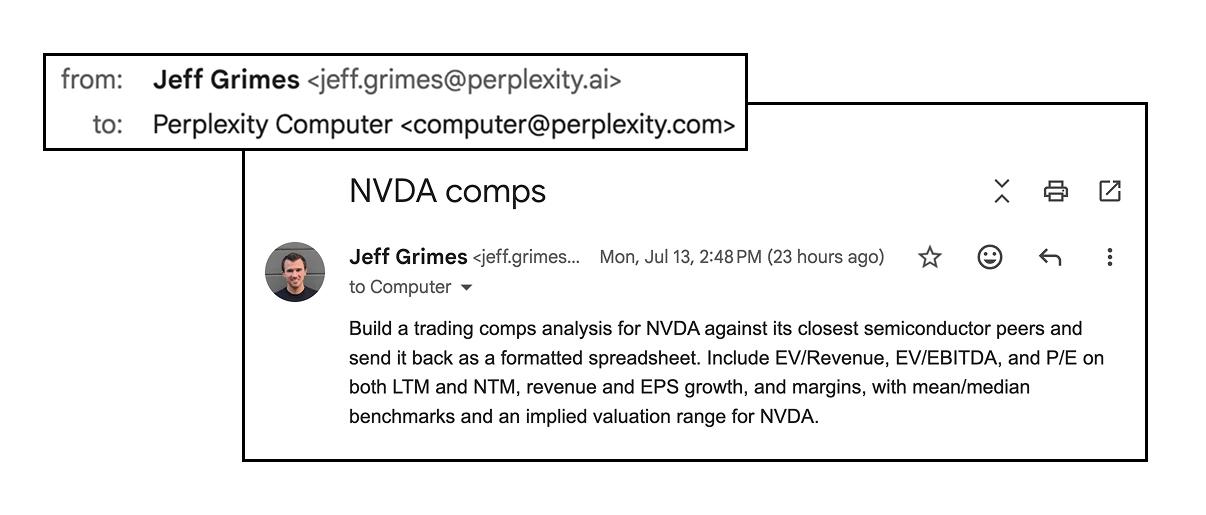
Three ways to use it
Email a task directly. Write your request in a new email to computer@perplexity.com, just like you would type it into Computer on the web. For example: “Build a 5-year unlevered DCF for NVDA and send it back as an Excel model.”
Forward an email or thread. When the context you need is already in your inbox, forward the message to computer@perplexity.com and tell Computer what to do with it — for example, “Summarize this thread and draft a reply that answers their open questions.”
Add Computer to a thread. CC or add computer@perplexity.com to an existing thread and ask it to handle the follow-up work with the full conversation as context.
Attaching files
To add files, attach them to your email and reference them in your request. Computer takes attachments into context the same way uploads work in Computer on the web.
To act on a file, tell Computer what you want done with it — for example, attach a CSV and ask Computer to clean the data, remove duplicate rows, and send back a formatted spreadsheet.
What you get back
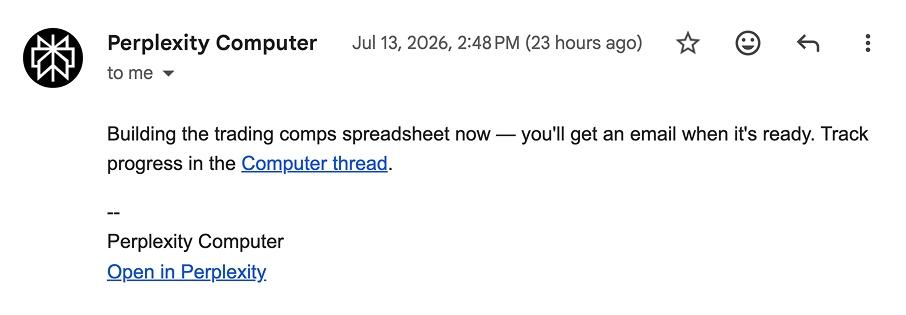
First, a confirmation reply. Computer replies to confirm it is working on your request. This first reply includes a Perplexity link you can open to view the session and its steps. Computer sends a second reply in the same thread once the request is complete.
A reply in the same thread. Computer replies in the sender’s email thread, but only to the verified sender.
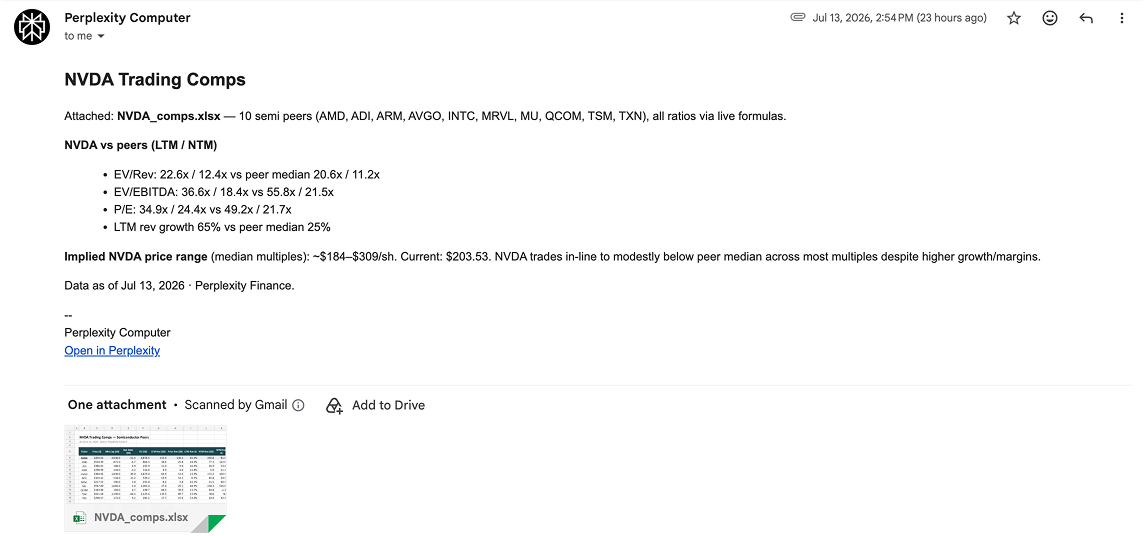
Attachments for deliverables. Deliverables such as PDFs, spreadsheets, images, videos, and other artifacts are returned as email attachments.
A session you can revisit. Every email task creates a session in your Computer session view, which you can open on web or mobile to review the steps and continue the task.
Computer’s first reply, confirming it is working on the task:
Computer’s second reply, delivering the finished result as an attachment:
What Computer for Email can process
When you invoke Computer by email, Computer may process:
Sender and recipient headers.
Subject and body.
Forwarded or quoted email context.
Attachments.
Message IDs, references, thread metadata, and delivery metadata.
Generated replies and generated attachments.
Computer task and session metadata.
Security, privacy, and permissions
Same security model. Computer for Email follows the same Enterprise Computer security and data-handling model as Computer on the web. It runs tasks for verified senders under their existing Perplexity accounts, using the same connectors, settings, permissions, and Memory, with nothing additional to connect or set up.
Inbound email is verified. Before a task is created, the message must be addressed to Computer, pass sender-authentication checks, come from an eligible sender, and map to an existing Perplexity user with Computer access.
What Computer receives. A task may include the sender’s subject and body, forwarded or quoted context, attachments, and threading metadata.
Only the sender’s instructions are trusted. The verified sender’s instructions are treated as the request. Forwarded or quoted third-party content and attachments provide context, but are not treated as trusted instructions.
Replies go only to you. Computer replies only to the verified sender, even when you invoke it on a thread with many people. Nobody else on the thread receives Computer’s reply.
Share sessions separately. You can share the Computer session using normal Computer sharing controls. Email replies remain sender-only.
Shared Enterprise security controls apply. Perplexity processes these emails through its internal services, with no third-party mail processor involved. No additional abuse-scanning workflow is added for email. Computer for Email uses the same safety, retention, and audit controls as Computer on the web.
Human access follows standard controls. Computer for Email does not introduce a new human-review workflow for email content. Any human access follows Perplexity’s standard authorized production, support, security, legal, and compliance access-control and logging processes.
Secure infrastructure. Computer is built on Perplexity’s secure, SOC 2 Type II-certified infrastructure.
End-to-end encryption. Data is encrypted in transit and at rest.
No AI training on your data. Email messages, attachments, and enterprise data are not used for model training.
User-level permissions. Computer for Email runs tasks under the verified sender’s Perplexity account and uses that user’s existing Computer connectors, settings, permissions, and Memory.
Audit logs. Admins in eligible organizations can view Computer activity within the Audit Logs feature.
Frequently asked questions
How do I follow up on an email task?
Reply in the same thread after Computer responds. Computer retains the context of the task, so you can refine the request, ask for changes, or add a new instruction without starting over.
How does Computer verify the sender?
Before creating a task, Computer for Email checks that the message is addressed to Computer, passes sender-authentication checks, is not Bcc-only, is not auto-generated/bulk/list/bounce/loop mail, and comes from an eligible sender that maps to an existing Perplexity user with Computer access.
Does Computer treat forwarded email as instructions?
The verified sender’s subject and body are treated as the request. Forwarded or quoted third-party content and attachments are included as context, but are not trusted as instructions over the verified sender, system instructions, or safety policy.
Which email address do I use?
computer@perplexity.com — send from the address tied to your Perplexity account so Computer can match your connectors and settings.
Will everyone on a thread see Computer’s reply?
No. Computer replies only to the verified sender, even when invoked on a group thread. This is not currently configurable.
Can Computer send me files?
Yes. Artifacts Computer creates — PDF, spreadsheet, image, video, and others — are returned as email attachments.
Can I attach my own files?
Yes. Attach files to your email and Computer will take them into context the same way uploads work in Computer on the web.
Where do my email tasks show up?
In your normal Computer session view, accessible from web and mobile.