

What is Memory?
Memory is a feature that allows Perplexity to remember details between your conversations, making your interactions more personalized and efficient. As you engage with Perplexity, it learns your preferences and important information, letting Perplexity serve you with better, more personalized answers to your questions in the future.
Our goal is to give you the best answers possible. To do that, Perplexity may draw on:
Memories: The preferences, interests, and information you share with us.
Search history: Your past questions and answers that can help make a new response more relevant.
In Computer, Max subscribers also get Brain — a self-improving memory system that turns your sessions into a working model of your world. Memory makes Search personal; Brain gives Computer working context. They’re managed with separate controls.
When is memory and search history used?
Perplexity will call on memory and previous searches depending on the question and whether using these sources informs a better response. As always, Perplexity will cite any reference that determines the answer. You can toggle each independently in Settings → Memory.
How are memories created?
As you ask questions or share preferences, Perplexity stores key memories you can manage in Settings. Over time, this builds a memory bank that helps Perplexity give more personalized responses. The more you use Perplexity, the more useful it becomes. For example, if you often ask about Italian, Chinese, or Mediterranean recipes, Perplexity will remember the preference next time you ask for restaurant or recipe ideas.
How can I view my memories?
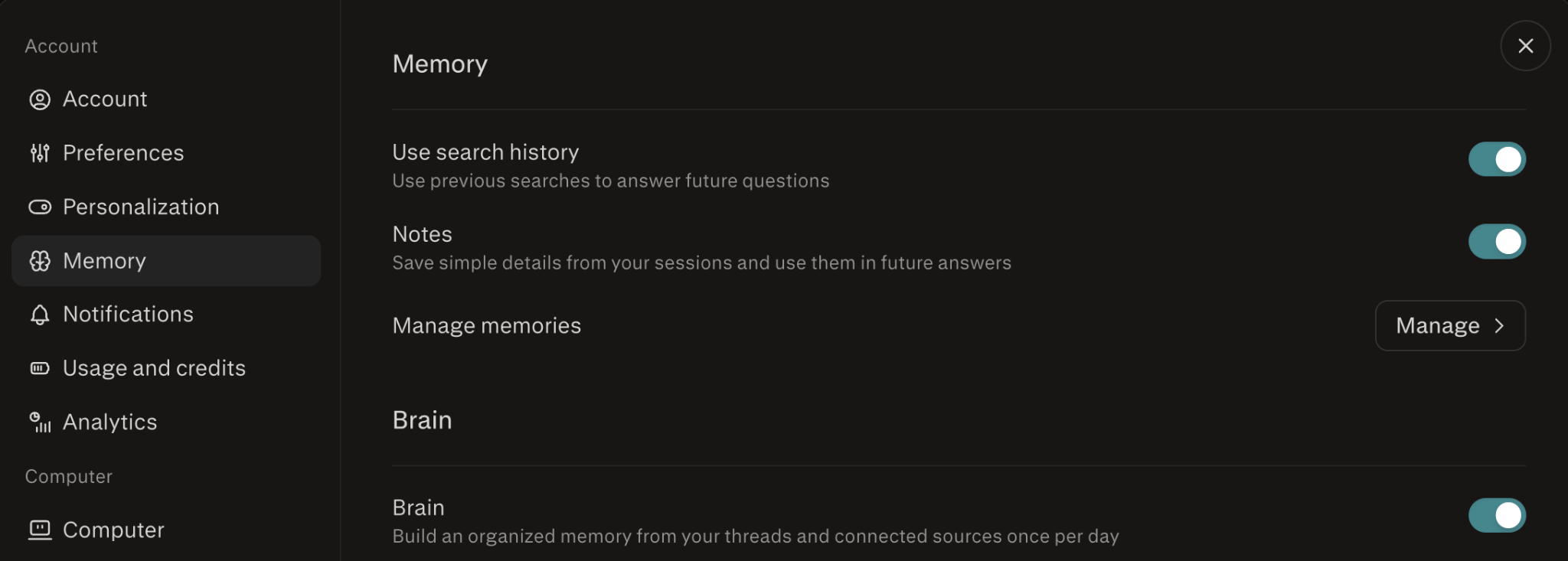
Go to Settings → Memory. You’ll see:
Use search history — toggle for referencing past searches.
Notes — toggle for saving simple details from your sessions for future answers.
Manage memories — opens your full memory bank, where you can search, filter, and delete individual entries.
Brain (Max subscribers) — toggle to build structured memories.
Can I remove certain memories or sessions from showing up in future answers?
Yes. Referenced memories appear in your answer’s sources — you can delete any from Settings → Memory → Manage memories to stop them from being used again. To remove a past session from influencing future answers, delete it from your search history.
Can I turn off referencing memory or search history?
You can toggle Memory and Search history off in your settings. When off, Perplexity stops referencing them in future answers. The permissions are separated, so you can control each independently. Turning Memory off does not clear existing memories. To clear memories, go into Memory → Manage memories.
Memory and previous searches are always off when using incognito mode, and questions asked in incognito are not retained or used in memory ever.
How can I delete my memories?
You can clear any specific memory at any time in settings by clicking on the trash icon. You can also clear all your memories at once by selecting the clear all button. If you delete a memory, that memory will be removed from the bank in settings and will not be used when responding to conversations moving forward. We may retain a log of cleared memories for up to 30 days for the purposes of safety, debugging, and ensuring memories aren’t re-created immediately after deletion.
How does Memory work in Projects?
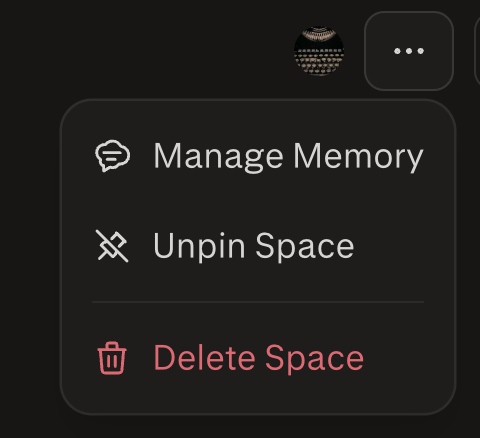
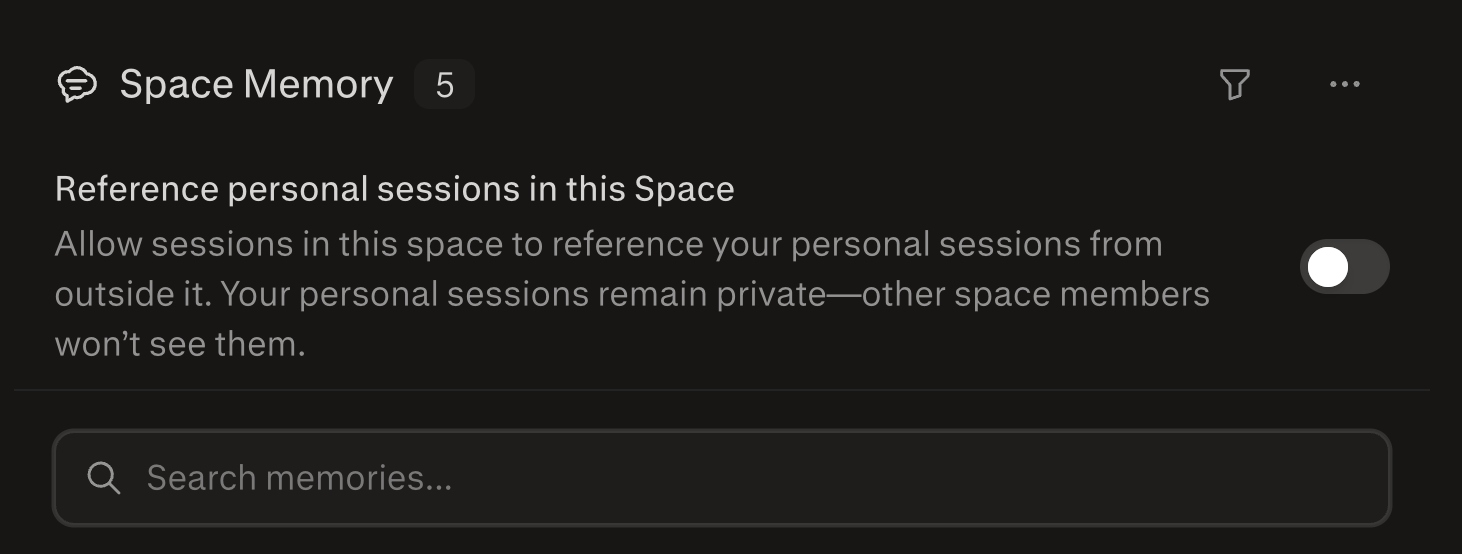
Memory is tied to your individual account. Inside a project, Perplexity can still record memories, but they’re scoped to that project — they don’t flow into your global memory. Only project-scoped memory and project threads are used by default. To let a project reference your personal sessions from outside it, open the project, click the … menu, choose Manage Memory, and turn on Reference personal sessions in this project. Your personal sessions stay private — other project members can’t see them.
Does Memory retain sensitive information?
Memory is built with additional layers of privacy and safety in determining what types of information should be remembered and how it should be used.
We’ve taken steps to proactively reduce the ability for memory to retain sensitive information like your health details or financial information — but memory is generated based on a model that favors the frequency of questions asked and information given by the user. We will continue to improve our ability to detect and remove sensitive information, and you can always review and clear your memory bank.
Is Memory available to Enterprise Pro organizations?
Yes. Enterprise admins manage Memory at the organization level, memories belong to the organization, and additional privacy safeguards apply. Brain in Computer follows the same organization-level Memory setting by default. See Memory for Enterprise Organizations for details.
Are models trained on memories?
We may use content from memory to improve our models for everyone. Your specific data isn’t shared with anyone, and if you’d like, you can turn off our ability to use your data by toggling off AI Data Retention in Settings → Preferences → Artificial Intelligence.