

What is Brain?
Brain is a self-improving memory system that builds a working model of your projects, people, and files to give Perplexity Computer the context it needs to move your work forward.
Brain is rolling out in Research Preview to Max subscribers using Computer.
How does Brain learn?
Brain runs in the background, reviewing recent activity from sessions, connector updates, artifacts, and corrections, and writing what it learns into Computer’s memory. Each entry links back to its source, so you can check or correct it.
It learns from four things:
Your sessions — the tasks you run and the work Computer does with you.
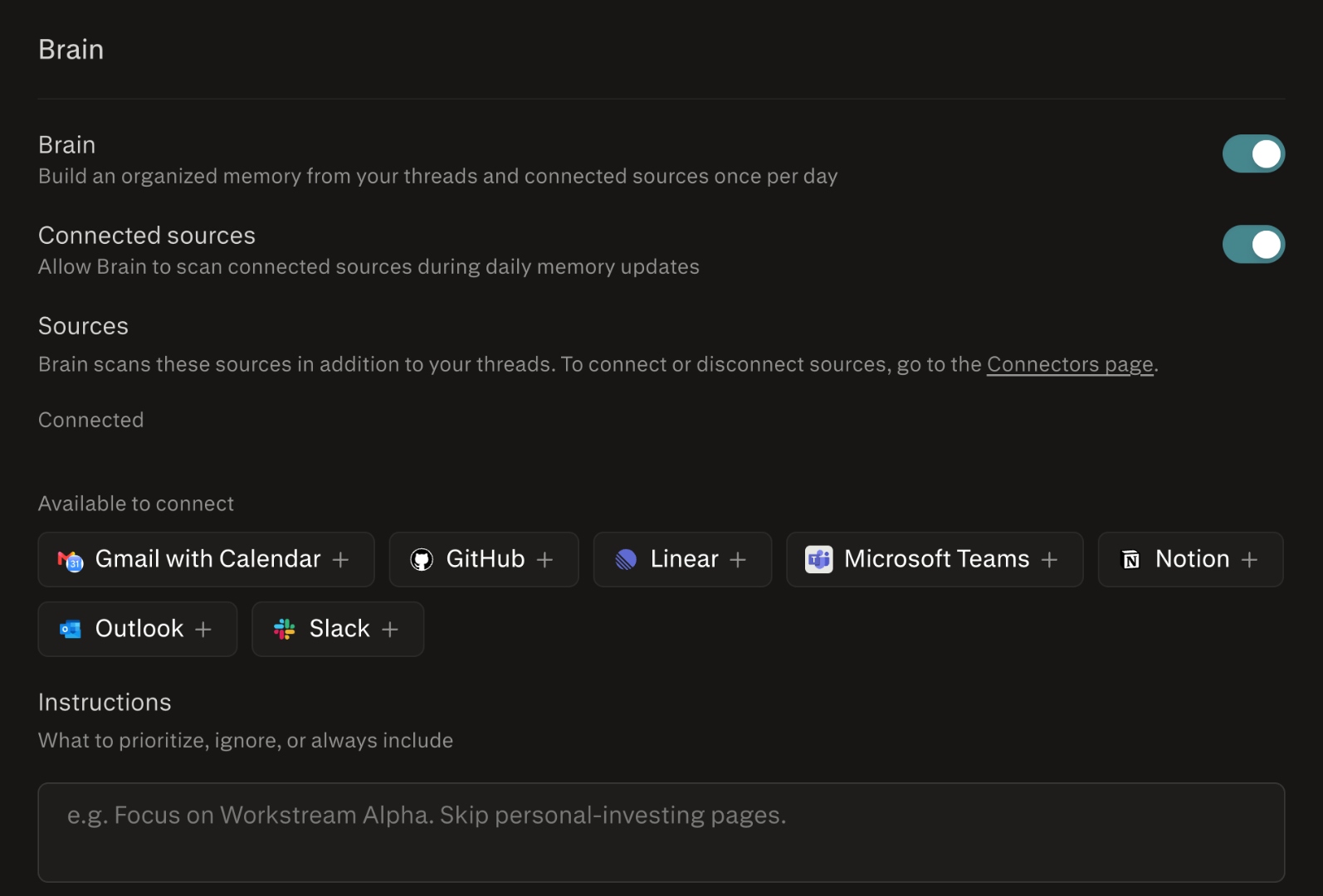
Your connected tools — data from connectors you’ve linked, like your docs, messages, or issue tracker.
Files and artifacts you create in Computer.
Your corrections — so Brain updates what it knows instead of repeating a mistake.
Each run builds on the last: reinforcing what’s still true, updating what’s changed, marking what’s stale. Brain only learns from your own activity — it never pulls in anyone else’s data, and it ignores incognito sessions entirely.
What’s the difference between Brain and Memory?
Memory makes Computer feel familiar. Brain makes Computer more productive.
Memory stores your preferences, interests, and the things you’ve shared, so answers come back personal and relevant.
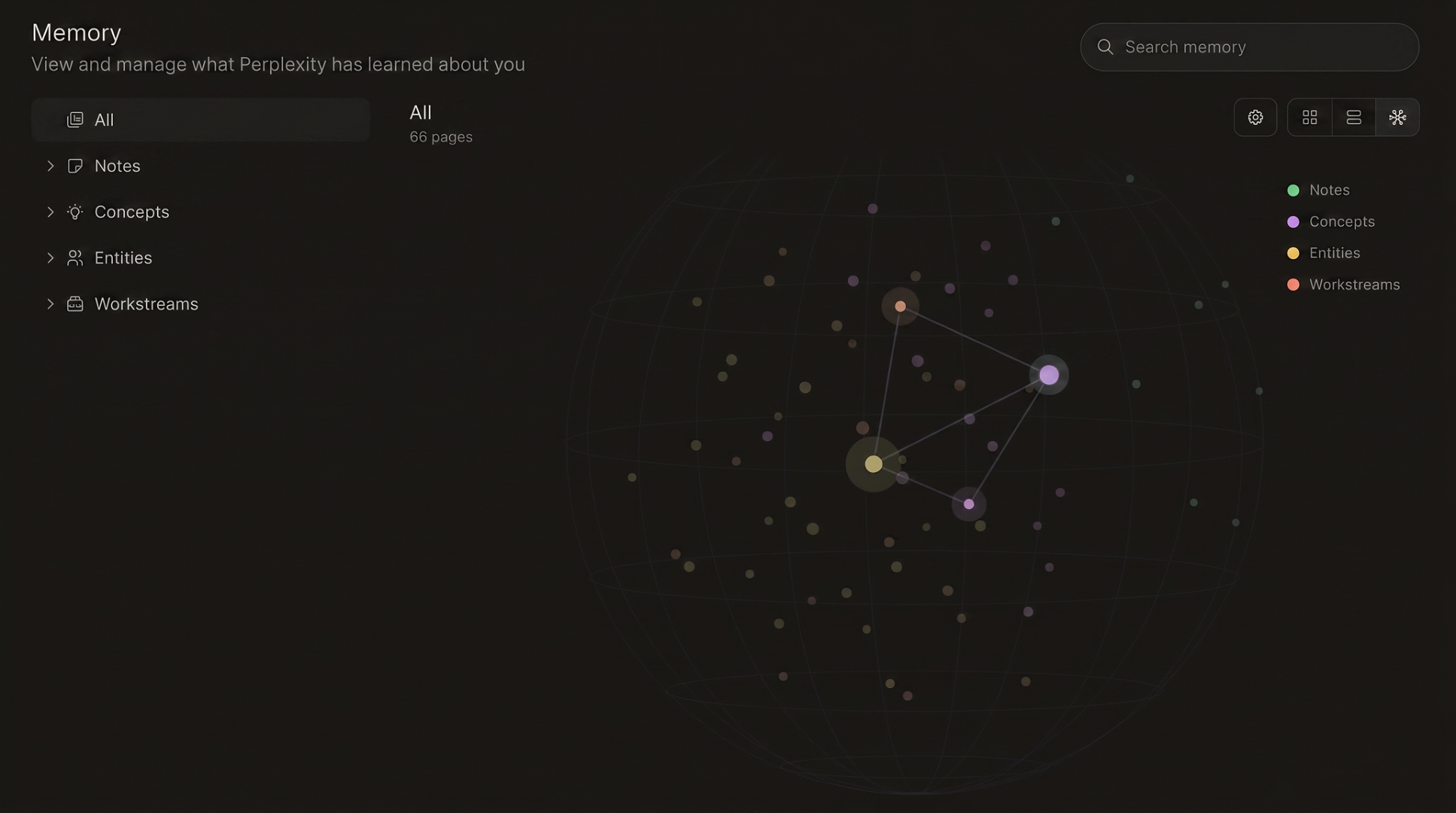
Brain goes further. It organizes your projects, people, documents, decisions, and open loops into a connected graph — grounded in the sessions, files, and connector data it came from, and kept current as your world changes.
In short: Memory helps Computer know you. Brain gives Computer the working context to move your work forward — and powers a richer Memory over time.
What does Brain do for me?
Say you’re meeting a customer tomorrow and ask Computer: “What should I present?”
Which customer? What did they ask about last time? Which issues are still open? What’s changed since the last meeting? Which deck is current? Who owns the follow-up?
Brain gives Computer the working context to answer all of that. It starts with the customer, pulls in the latest meeting notes, checks open issues, and looks at the product work those issues block — dropping into Slack threads, call transcripts, and PRs to verify anything uncertain. You don’t get a list of search results. You get a recommendation grounded in your actual work: what to present, what to avoid, what changed, what follow-ups matter.
The more you use Computer on a project, the richer Brain’s understanding becomes — so the biggest gains show up on work you return to.
Where do I see what Brain has learned, and how do I edit it?
Open Memory to see everything Brain has learned — notes, concepts, entities, and your workstreams. Open any entry to read it, see how it connects to related entries, and click through to the original session, file, or source. You can edit or delete any entry, and your corrections feed forward into Brain’s next run.
When does Brain run?
Brain runs in the background, not during your active tasks — so it never slows you down. Computer tasks that use Brain actually run faster on average, because Computer reuses what Brain knows instead of rebuilding context from scratch.
Brain itself only maintains your memory. It doesn’t take actions or message you. Over time, Brain is the foundation for more proactive features in Computer — daily digests, skills that improve themselves — but those are controlled separately, and anything that would change how Computer works is surfaced for you to review first.
Can I turn Brain off?
Yes. Brain has its own toggle in Computer settings, independent of Search History in Memory. Turning it off stops Brain from writing new knowledge into Computer’s memory from your activity.
Is Brain private?
Yes. Brain is built only from your own activity — your sessions, connected tools, artifacts, and corrections — and is used only to improve your own answers.
Every entry links back to the session, file, or source behind it, so you can open it, check it, and edit or delete anything in Settings → Memory.
Incognito is excluded. Brain doesn’t read from or write to incognito sessions.
Sensitive-information filtering. Brain uses the same AI-based filtering as Search Memory to reduce the chance that sensitive details — credentials, passwords, and similar — end up in your memory bank. You can always review and clear anything saved.
Model training. AI Data Retention is scoped to searches used to improve models, not to what Brain writes into Computer’s memory. Brain’s own toggle controls its writing.