Do Sessions retain context for follow up questions?
Sessions are designed to maintain context in follow-up responses. However, if you switch topics frequently within a session, it might need a bit of guidance to stay on track.
Can I ask questions “offline” to generate responses without sources?
To receive responses generated solely from the AI’s internal knowledge (without external web browsing/sources):
Start a new thread.
Locate the globe icon.
Toggle the “Web” option to OFF.
Note: This setting can only be changed at the beginning of a new thread.
How do I search for a Session?
Go to your History page and use the search bar. You can search by keywords or the title.
What happens to Sessions that are created when I am signed out?
When a user creates sessions while not signed into their Perplexity account, the author of the session is considered “anonymous,” and therefore, the session is not saved long-term. These anonymous sessions will be visible for 14 days, after which they will disappear permanently without the possibility of recovery.
To ensure that a session is accessible long-term, please sign into your account. All sessions created while signed in will be automatically saved to your History.
Tip: As long as the session is not older than 14 days you should be able to find the session in your browser history. Once logged back in, save the session to a project to avoid it expiring after the 14 days.
Can I switch my Focus selection on a Session?
It is not possible to switch Focus within a session. If you want to use Focus mode, enable it at the start of a new session.
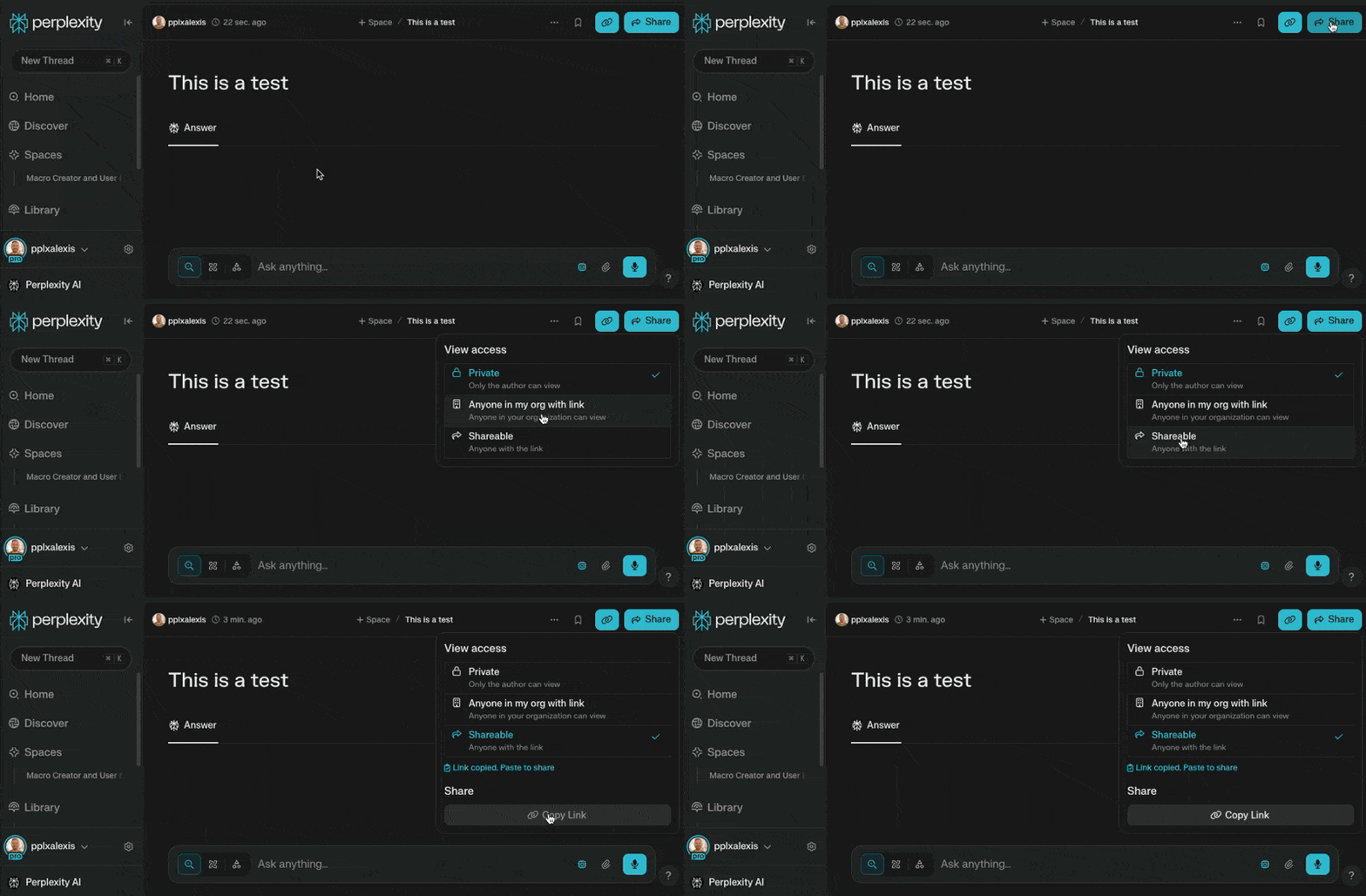
How do you I share a Session?
Yes, you can share a session. Click on the “Share” button at the top right corner of the session, and select “Sharable” Anyone with the link will be able to view your session. See below: