

Data Retention Periods for files
Files attached to sessions are automatically deleted after seven days. Files uploaded to your Organization’s file repository, “My Files”, or projects are retained until deleted.
You can customize retention periods for sessions with the steps below.
Please note, these advanced security features are exclusive to Enterprise organizations with 50 seats or more, or with at least one Enterprise Max user.
Setting up session retention periods
Go to Organization Settings
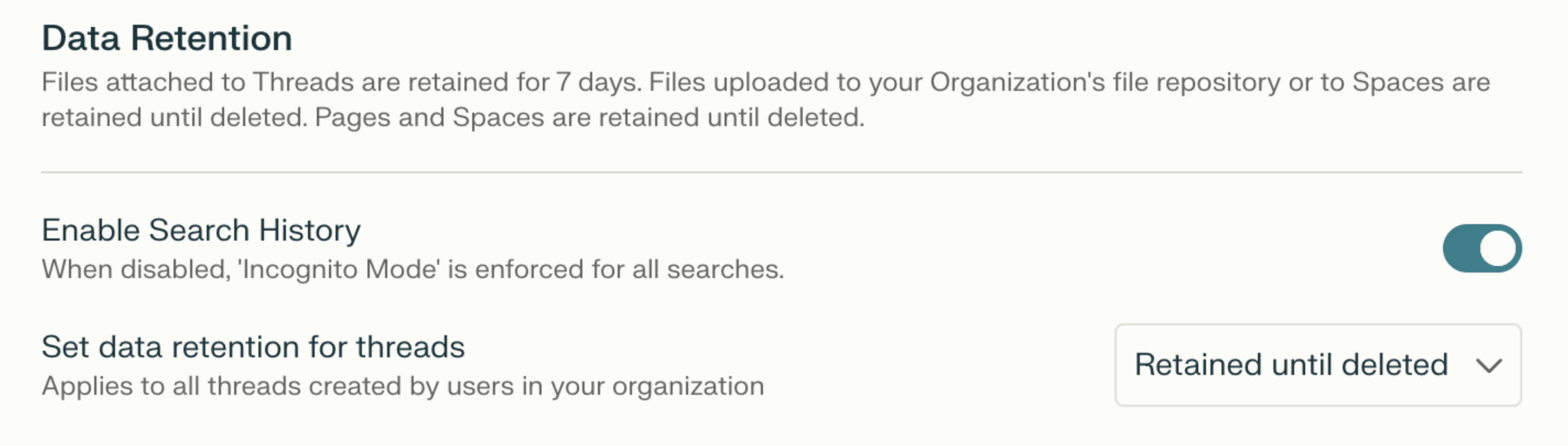
Open the Data and privacy section from the left sidebar — you’ll find Data Retention at the top (including Enforce Incognito Mode and Set data retention for sessions)
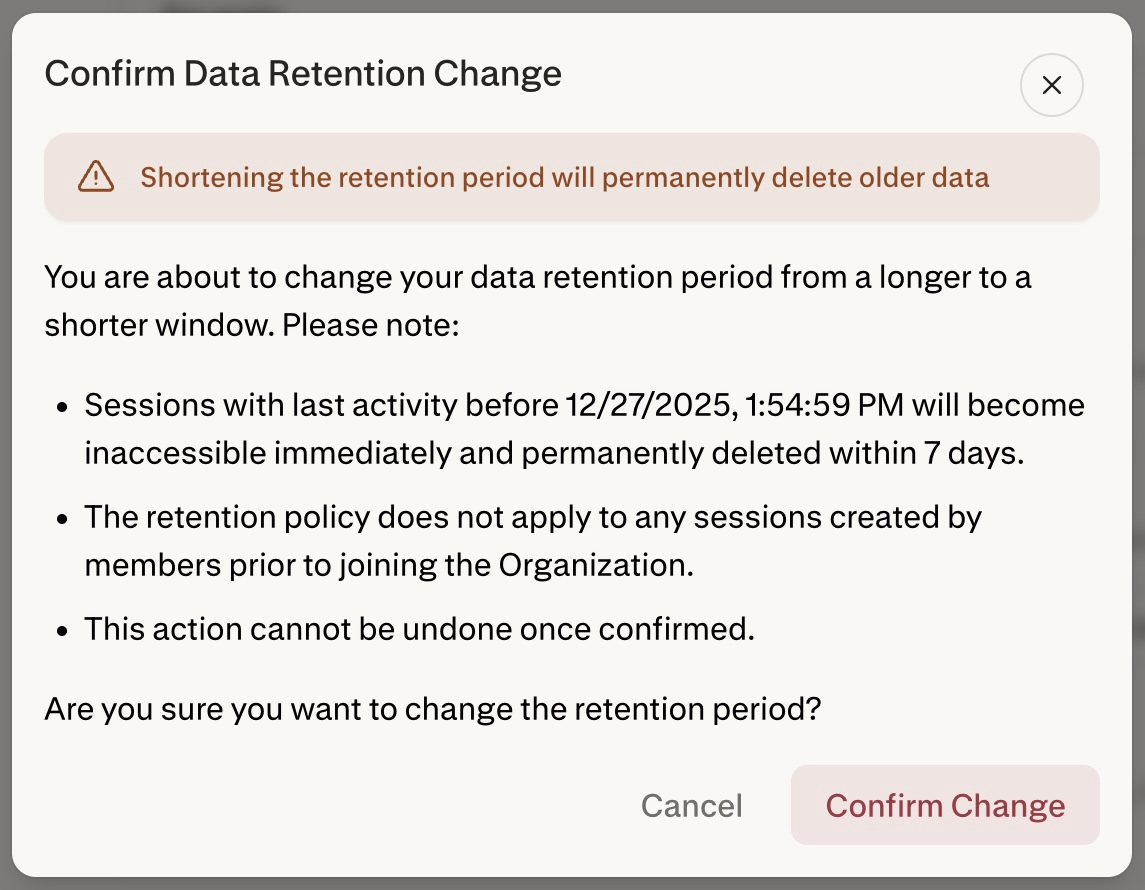
3. Once you change the setting (e.g. to 30 days), you will see the confirmation screen below. As called out, Sessions whose last activity falls outside the retention period will instantly become inaccessible and will be permanently deleted within 7 days.
FAQ
Can I use this feature if I have less than 50 seats in my org?
If your organization has fewer than 50 seats, you can upgrade at least one seat to Enterprise Max to set up custom Data Retention policies.
I have activated the feature by mistake and I’ve been charged for additional seats.
If you have activated Data Retention by mistake and you’re not ready to upgrade to 50+ seats, we can adjust billing for your account and undo any additional billing or payments. Please make sure that you’ve deactivated this feature and get in touch.
Do Data Retention parameters apply to all sessions, regardless of where they’re hosted?
The Data Retention period selected applies to all sessions, including those created and hosted in projects.
The only exception are sessions created by organization members before joining the organization. Those won’t be affected by the Data Retention policy.
Does Data Retention apply to the date when a session was created or when it was updated?
Data Retention is measured from a session’s last activity, not its creation date. Any follow-up query — including those triggered by recurring tasks — resets the clock. For example, with a 30-day retention policy, a session will be scheduled for deletion 30 days after its most recent update, not 30 days after it was originally created.
I’ve selected a shorter retention period by accident, and some of my sessions were deleted. Can I recover them?
Unfortunately, we cannot recover any sessions deleted as a result of changing your organization’s Data Retention policy.